
Samsung Smart TV용 VPN: 빠르고 프라이빗하며 간편한 서비스
검증된 노로그 정책, 113개국에 구축된 40Gbps의 최적화 VPN 서버, 안정적인 연결의 혜택을 누려보세요
- 콘텐츠에 따른 ISP의 속도 제한이나 VPN 대역폭 제한 없이 HD/4K 화질로 스트리밍하세요
- 하나의 구독으로 Samsung Smart TV와 기타 기기들을 보호하세요
- 간편한 사용법과 연중무휴 24시간 실시간 고객 지원을 통해 단 몇 분 만에 VPN을 설정하세요
30일 환불 보장*
(*신규 사용자 대상)

Samsung Smart TV에 VPN을 사용해야 하는 이유
전 세계의 빠른 서버 연결을 통해 완전한 VPN 개인정보 보호 혜택을 누리세요

가정 내 온라인 개인정보 보호
Samsung Smart TV에서 VPN을 사용하여 가족의 온라인 활동을 안전하게 보호하고 비공개 상태를 유지하세요. VPN은 연결을 암호화하여 스트리밍, 브라우징, 게이밍 활동을 ISP, 네트워크 관리자 및 기타 스누핑으로부터 보호합니다.
제3자가 스마트 TV 연결을 통해 시청 습관과 개인 데이터를 수집할 수 있으므로, VPN을 사용하면 가정의 온라인 개인정보를 더욱 강력하게 지킬 수 있습니다.

스트리밍과 브라우징을 위해 일관적이고 안전한 연결 유지
Samsung Smart TV VPN으로 빠르고 안정적이며 안전한 연결을 이용해 보세요. 최고의 VPN은 고급 프로토콜과 최적화된 서버로 트래픽을 라우팅하여 HD/4K 스트리밍 화질을 지원합니다.
또한 연결이 암호화되기 때문에 ISP가 사용자의 활동을 확인할 수 없으며, 이로 인해 콘텐츠 유형에 따른 대역폭 스로틀링을 적용하는 것이 더욱 까다로워집니다. 구독 서비스를 이용하여 2026 FIFA 예선전을 스트리밍하거나 좋아하는 해외 콘텐츠를 안정적으로 시청해 보세요.
Samsung Smart TV에 ExpressVPN 설정하는 방법
3가지 간단한 절차로 Samsung Smart TV에 VPN을 설치해 보세요
-
![Staying Compliant@2x 5]()
기기를 등록하여 MediaStreamer* 활성화하기
ExpressVPN 계정에 로그인한 후 DNS 설정으로 이동하여 내 IP 주소 등록을 클릭합니다. 향후 변경 사항에 대비해 "내 IP 주소 자동 등록"을 활성화하세요.
-
![Configuration@2x 1]()
Samsung Smart TV에서 MediaStreamer 구성하기
ExpressVPN에서 MediaStreamer DNS 주소를 가져온 후, TV에서 네트워크(Network) → 네트워크 상태(Network Status) → IP 설정(IP Settings) → DNS 설정(DNS Settings)으로 이동합니다. MediaStreamer DNS 주소를 직접 입력하세요.
-
![Tv Connected@2x]()
MediaStreamer 연결 작동 여부 확인
DNS가 설정되면 TV가 인터넷 연결을 확인하며, 연결에 성공하면 "인터넷에 연결되었습니다(You are connected to the Internet)"라는 문구가 나타납니다. 오류 발생 시 MediaStreamer DNS 주소를 다시 입력하세요.


*MediaStreamer는 VPN 앱을 지원하지 않는 기기를 위한 스마트 DNS 서비스입니다. 해당 서비스는 연결을 암호화하거나 VPN의 개인정보 보호 혜택을 제공하지 않습니다. 완전한 보호를 받기 위해서는 ExpressVPN이 활성화된 공유기에 Samsung TV를 연결해야 합니다. 도움이 필요하신 경우, 당사의 24시간 고객 지원팀에 문의하시기 바랍니다.
고급 공유기 설정
Aircove 공유기를 사용하여 Samsung Smart TV에 완벽한 VPN 보호를 제공하세요
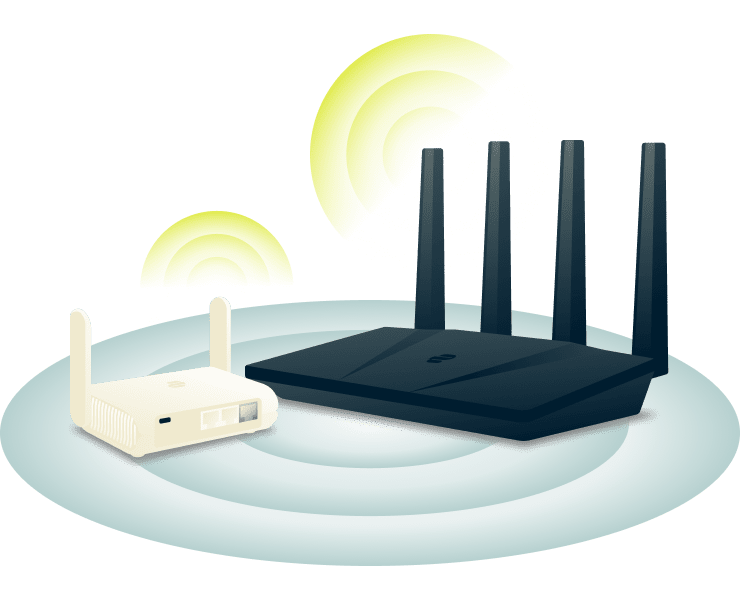
호환되는 와이파이 공유기에서 ExpressVPN을 사용하세요
ExpressVPN에 통합된 Aircove* 공유기로 즉각적인 보호를 받으세요. 매우 간편한 설정 방법을 갖추어 단 5분 만에 보안을 강화할 수 있습니다. 설치 후에는 Samsung Smart TV를 포함한 모든 기기가 앱이나 추가 설정 없이 자동으로 VPN에 연결됩니다.
*Aircove를 통해 VPN의 보호를 받기 위해서는 활성화된 ExpressVPN 구독이 필요합니다.
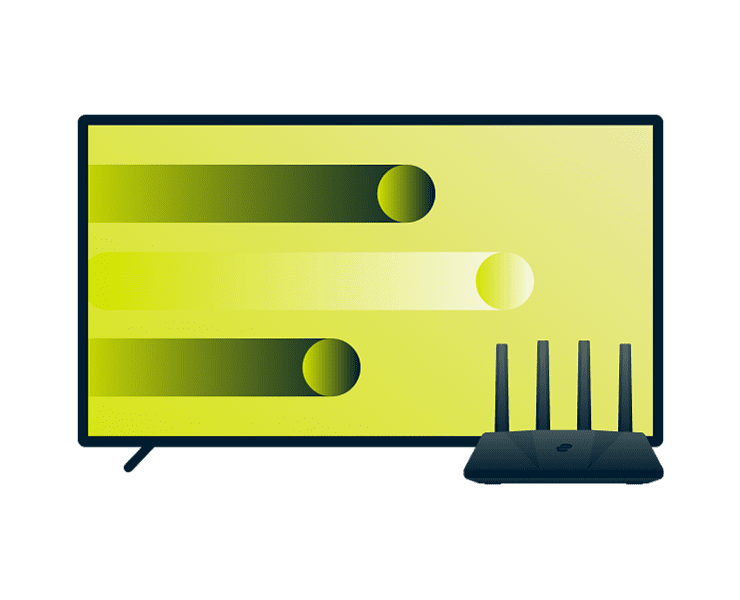
ExpressVPN의 공유기 펌웨어로 홈 네트워크 관리
홈 네트워크, 그리고 각 기기가 연결되는 방식을 완벽하게 제어하세요. Aircove에 탑재된 ExpressVPN의 공유기 펌웨어를 사용하면 최대 5개의 기기 그룹을 생성할 수 있습니다.
최적의 성능을 위해 Samsung Smart TV를 특정 VPN 위치에 할당하는 한편, 다른 기기들은 그 외 서버를 통해 연결하거나 일반 네트워크 상태를 유지하도록 할 수 있습니다. 이 설정은 가정 내 모든 기기에 유연하고 맞춤화된 보호를 제공합니다.
Samsung Smart TV에 ExpressVPN을 활용하는 다른 방법
몇 초 만에 개인정보 보호를 강화하고 대형 화면에서 스트리밍하세요
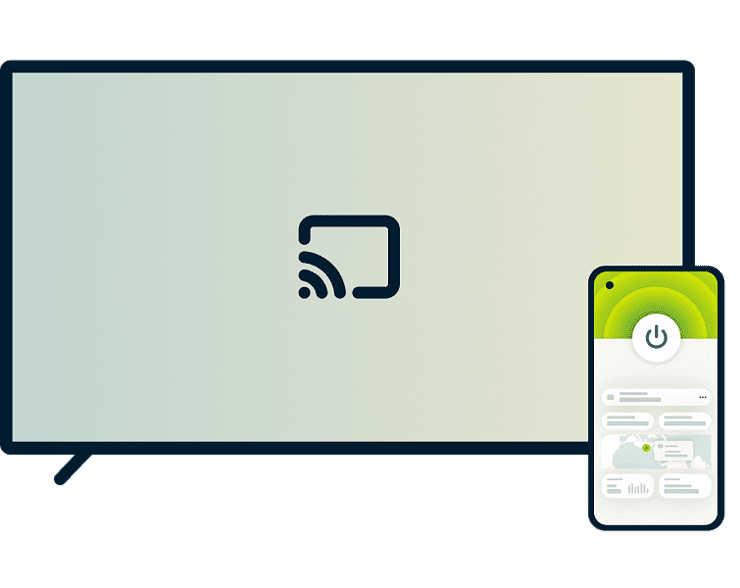
스크린 캐스팅 또는 미러링을 통해 VPN 연결 공유
을 사용하면 휴대폰, 태블릿 또는 컴퓨터 화면을 Samsung Smart TV와 공유할 수 있습니다. 소스 기기에 ExpressVPN이 활성화되어 있는 경우, 해당 기기의 인터넷 트래픽이 암호화되며 콘텐츠가 TV에 표시됩니다.
Android 및 Windows 기기의 경우 스크린 미러링에 Samsung Smart View 또는 Miracast를 사용해야 합니다. iOS 및 macOS 기기의 경우 AirPlay 2를 사용하시기 바랍니다. 먼저, 기기를 TV와 동일한 와이파이에 연결하고 기기에서 ExpressVPN을 활성화한 후, 캐스팅 또는 미러링 기능을 작동시키면 됩니다.
Samsung Smart TV용 VPN 선택 시 고려 사항
최적의 스트리밍 성능과 개인정보 보호를 위한 핵심 VPN 기능을 살펴보세요

신뢰할 수 있는 개인정보 보호 및 암호화
보안에 기반하여 구축된 VPN으로 스트리밍 활동을 프라이빗하게 유지하세요. 최고의 Samsung Smart TV용 VPN은 고급 256비트 AES 암호화로 연결을 보호하며, ISP와 네트워크 관리자가 사용자의 시청 콘텐츠 또는 사용 앱을 감시하지 못하도록 방지합니다.

일관된 스트리밍을 위한 빠르고 안정적인 속도
프리미엄 Samsung Smart TV VPN은 HD/4K 스트리밍을 지원하기 위해 전 세계 고속 서버와 고급 VPN 프로토콜을 바탕으로 빠르고 신뢰할 수 있는 성능을 제공합니다.
VPN을 통해 연결하면 ISP가 사용자의 스트리밍 내용을 볼 수 없으므로, 연결에 콘텐츠 기반 속도 제한을 적용하는 것이 더 어려워집니다. 그 결과, 무엇을 시청하든 일관된 속도를 얻을 수 있습니다.

전문적인 고객 지원을 통한 간편한 설정
Samsung Smart TV에는 VPN 앱을 직접 설치할 수 없지만, 보조 기기에 VPN 도구를 다운로드하여 최소한의 설정으로 안전하게 스트리밍을 시작하는 것은 가능합니다.
또한 자동 전체 네트워크 보호를 위해 공유기를 통하여 연결하거나, 암호화 없이 빠른 스트리밍을 위해 MediaStreamer를 사용할 수도 있습니다. 당사의 단계별 가이드와 24시간 전문가 지원을 활용하여 번거로운 설정 없이 즉시 스트리밍을 시작해 보세요.

하나의 구독으로 기기 전반에 걸친 호환성 제공
일부 기기에서만 작동하는 VPN에 지치셨나요? 최고의 VPN은 Samsung Smart TV뿐만 아니라 가정 내 모든 기기를 보호하고 연결해 줍니다.
노트북과 스마트폰부터 스마트 TV에 이르기까지, ExpressVPN은 모든 주요 기기에서 효율적으로 작동합니다. 하나의 구독으로 최대 14대의 기기를 동시에 보호하고, 집에서 또는 이동 중에도 강화된 온라인 개인정보 보호를 누려보세요.
Samsung Smart TV에 ExpressVPN을 선택해야 하는 이유
ExpressVPN은 Samsung Smart TV 사용자들에게 필요한 모든 요소를 제공합니다
활동 로그를 기록하지 않는 TrustedServer 기술
ExpressVPN의 TrustedServer 기술은 RAM 전용 서버에서 작동하며, 여기에는 하드 드라이브가 존재하지 않으므로 데이터가 저장되지 않습니다. 또한 모든 서버는 재부팅될 때마다 자동으로 데이터를 말끔하게 삭제합니다.
또한, 독립 감사를 통해 철저한 노로그 정책과 서버 인프라를 검증받았으며 브라우징 활동과 연결 데이터를 프라이빗하게 유지해 줍니다. 사용자가 Samsung Smart TV에서 무엇을 언제 시청하는지, 그리고 어떤 앱을 사용하는지 등 그 어떠한 정보도 기록되거나 저장되지 않습니다.

연중무휴 24시간 실시간 채팅 지원 및 30일 환불 보장
당사의 24시간 지원팀은 다양한 언어로 언제든 실시간 채팅 또는 이메일 지원을 제공합니다. Samsung Smart TV를 이용하며 ExpressVPN 설정, 문제 해결, 사용에 관한 질문이 있다면 무엇이든 문의해 주세요.
신규 구독자에게는 30일 환불 보장* 서비스가 적용됩니다. 서비스가 만족스럽지 않은가요? 간단히 고객 지원팀에 문의하여 환불을 요청하세요.
*App Store를 통해 진행한 구매는 Apple만이 처리할 수 있으며, 환불 여부는 Apple의 재량에 따릅니다.

성능에 최적화된 글로벌 서버 네트워크
좋아하는 시리즈를 정주행하거나 라이브 스트리밍에 참여할 때 버퍼링 또는 속도 제한이 발생하면 시청 경험이 방해를 받을 수 있습니다.
113개국에 걸친 ExpressVPN의 고속 40Gbps 서버 중 어느 곳에든 연결하여 안전한 데이터와 비공개 IP 주소로 스트리밍해 보세요. 자체 제작한 Lightway 프로토콜과 무제한 대역폭을 함께 제공하므로, 신뢰할 수 있고 일관된 속도와 안전한 연결을 함께 누릴 수 있습니다.
ExpressVPN에 대한 고객의 평가
ExpressVPN의 고객이 서비스에 만족한 이유를 확인하세요
휴대폰, 노트북, 태블릿, 애플TV 등 모든 기기에서 ExpressVPN을 사용 중인데 정말 마음에 들어요.


* 가장 만족한 고객들의 리뷰 샘플
어제 @expressvpn 계정을 만들었는데, 해외 여행할 때 잘 사용할 것 같아요!
@D_Geiger

* 가장 만족한 고객들의 리뷰 샘플
꾸준히 탁월한 성능과 믿을 수 있는 보안을 제공하는 ExpressVPN은 시중 가장 뛰어난 VPN입니다.

* 때때로 전문가 사이트에 고객 추천 비용을 지불합니다
Samsung Smart TV용 VPN 관련 FAQ
가장 일반적인 질문에 대해 답변해 드립니다.
Samsung Smart TV에 VPN을 사용해야 할까요?
물론입니다. ExpressVPN의 Aircove 공유기를 사용하면 Samsung Smart TV와 네트워크상의 모든 기기를 즉각적으로 보호할 수 있습니다. 또한 VPN이 활성화된 기기(휴대폰, 태블릿, 노트북)의 콘텐츠를 TV로 미러링할 수도 있습니다.
Samsung Smart TV가 VPN 앱을 지원하지 않는 경우, VPN을 어떻게 설치하나요?
세 가지 옵션이 있습니다. ExpressVPN이 내장된 Aircove 공유기*를 사용하거나, 빠른 스트리밍 설정을 위해 MediaStreamer를 활용하거나, VPN이 활성화된 기기에서 TV로 미러링하여 집 전체를 자동으로 보호할 수 있습니다.
*Aircove의 VPN 기능이 작동하기 위해서는 활성화된 ExpressVPN 구독이 필요합니다.
Samsung Smart TV에 가장 적합한 서비스는 무엇인가요?
ExpressVPN은 113개국의 초고속 40Gbps 서버, 256비트 AES 암호화, 검증된 노로그 정책을 제공하는 최고의 Samsung Smart TV VPN입니다. 무제한 대역폭과 안정적인 속도로 모든 기기에서 안전하고 일관된 스트리밍을 즐길 수 있습니다. 또한 처음 이용하시는 고객께는 30일 환불 보장 혜택이 제공됩니다.
VPN이 스트리밍 속도에 영향을 미치나요?
ExpressVPN의 40Gbps 서버와 Lightway 프로토콜을 사용하면 속도에 가해지는 영향이 매우 미미합니다. 따라서 HD/4K 스트리밍은 예정대로 원활하게 작동합니다. 게다가 ISP가 콘텐츠 기반 속도 제한을 적용하는 경우에도 ExpressVPN이 이러한 속도 저하를 피할 수 있도록 도와주므로 속도가 일관적으로 유지됩니다.
여러 기기에서 VPN 계정 하나를 사용할 수 있나요?
물론입니다. 하나의 ExpressVPN 구독으로 휴대폰, 컴퓨터, 태블릿, 스마트 TV 등 최대 14대의 기기를 동시에 보호할 수 있습니다. 또한 ExpressVPN 보호 기능이 내장된 당사의 Aircove 공유기*를 사용하면 연결된 모든 기기를 보호할 때도 단 하나의 연결로만 측정됩니다.
*Aircove의 VPN 기능이 작동하기 위해서는 활성화된 ExpressVPN 구독이 필요합니다.
VPN이 TV에 작동하는지 여부를 어떻게 확인할 수 있나요?
공유기 대시보드를 확인하여 VPN 연결을 확인하거나, 네트워크상의 기기에서 IP 주소가 VPN 서버 위치와 일치하는지 확인하세요. MediaStreamer를 사용하는 경우 스트리밍 성능만을 향상하고 암호화를 제공하지 않으므로 IP 주소는 변경되지 않습니다.
Samsung Smart TV에서 위험 부담 없이 ExpressVPN을 이용해 보세요
신규 고객은 30일 환불 보장*을 통해 위험 부담 없이 ExpressVPN을 체험해 볼 수 있습니다.

*지원팀에 환불을 요청하세요. 신규 구독자 전용 혜택입니다. App Store를 통해 진행한 구매는 Apple만이 처리할 수 있으며, 환불 여부는 Apple의 재량에 따릅니다.







