The best iPhone VPN app for iOS in 2025
Take back your internet with a risk-free iPhone or iPad VPN app.
- Secure streaming, gaming, working, or browsing
- Best-in-class encryption and privacy features
- Fast VPN servers in 105+ countries
- 30-day money-back guarantee for first-time users*
*30-day money-back guarantee does not apply to subscriptions paid via iOS. Refunds for iOS subscribers are solely at the discretion of Apple.

What is an iOS VPN app?
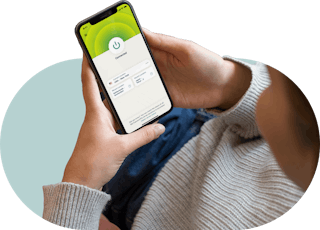
A VPN like ExpressVPN replaces your real IP address with one that belongs to the VPN company, giving you greater privacy as you go online while changing your IP location. A VPN also encrypts all the internet traffic on your iOS device, preventing cybercriminals and snoops on public Wi-Fi networks from seeing what you’re doing online.
How to set up an iOS VPN
-
![How to sign up for ExpressVPN]()
Step 1
Sign up for ExpressVPN
Visit the order page and select the option that’s right for you. All of our plans are fully covered by our 30-day money-back guarantee for first-time users.
-
![Download icon on mobile devices.]()
Step 2
Download an iOS VPN app
Head to the App Store on your iPhone or iPad, and install the ExpressVPN app for iOS.
-
![Us Location Globe US Latin America 3x 1 Dbae41dfcd7f2a124d4a8939f8253e62]()
Step 3
Connect to a VPN server location
Simply hit the On Button, and you’ll be instantly connected to the best location for your connection. Or pick one from our global network.


Video: How to download ExpressVPN on iOS

What are the benefits of using an iOS VPN?

Fast speeds and smooth, hassle-free streaming
While VPNs have the potential to slow down your internet speeds, ExpressVPN is optimized so you barely notice a difference on your iOS device. This means less buffering and waiting while you enjoy strong online security.

Innovations to protect your privacy
We take your privacy seriously, which is why we use best-in-class encryption to keep your online traffic secure from interception. Our innovative server technology supports our strict policy of not collecting connection logs or activity logs.

Better value with a built-in password manager
With ExpressKeys, a full-featured password manager, you only need to remember one password to access all your logins. They’re protected with zero-knowledge encryption, so only you can gain entry to your Keys account. And there’s no extra cost to use it.

Block ads, trackers, and harmful sites
ExpressVPN’s advanced protection features let you customize your online experience and take back control over what companies know about you. Block trackers and malicious sites with Threat Manager, hide intrusive display ads with an ad blocker, and protect your kids from explicit content.
ExpressVPN iOS app for iPhone: VPN protection in your pocket
Get a VPN on iPhone, whatever model you’re using. The ExpressVPN iOS app is compatible with:

- iPhone 16, iPhone 16 Plus, Pro, Pro Max
- iPhone 15, iPhone 15 Plus, Pro, Pro Max
- iPhone 14, iPhone 14 Plus, Pro, Pro Max
- iPhone SE (3rd, 2nd, and 1st generation)
- iPhone 13, iPhone 13 Mini, Pro, Pro Max
- iPhone 12, iPhone 12 Mini, Pro, Pro Max
- iPhone 11, iPhone 11 Pro, Pro Max
- iPhone XS, XS Max, XR, X
- iPhone 8, iPhone 8 Plus
- iPhone 7, iPhone 7 Plus
- iPhone 6S, iPhone 6S Plus
Need the same great functionality on your laptop or desktop? One ExpressVPN subscription lets you connect to the VPN on up to 14 devices at the same time, so you can use it as your Mac VPN or Windows VPN, too.
Download the ExpressVPN app for iOS on the App Store for a free seven-day trial:


ExpressVPN for iPad
ExpressVPN is compatible with these iPad devices:
- iPad 5, 6, 7, 8, 9
- iPad Pro (all generations)
- iPad Air 2, 3, 4, 5
- iPad Mini 4, 5, 6
Download the ExpressVPN app for iOS from the App Store for a free seven-day trial:
Gaming on iOS with a VPN
ExpressVPN is the best VPN for gaming online on your iPhone or iPad. A VPN keeps your data private, protects you from DDoS (distributed denial of service) attacks, and can also lower ping times between gaming servers by connecting you to locations closer to the network hosts.
If your internet service provider is throttling gaming traffic, the ExpressVPN iOS app can also bypass those restrictions to restore your network speeds to their default levels. In some instances, gamers have even reported faster speeds.
Frequently asked questions
How do I enable VPN on iOS?
It’s easy! Simply subscribe to ExpressVPN, download the app from the App Store, open the app, and press the “On” button. Your connection is now encrypted.
Is there a free VPN app for iPhone?
While there are free VPNs for iPhone available, they can’t match a service like ExpressVPN, which provides optimized connections for superior speed, security, and stability, without any bandwidth caps. We keep your online traffic secure with strong encryption while offering server locations in 105+ countries to choose from. You’ll also have access to our 24/7 customer support via live chat and email.
Does iOS have a VPN?
No, iOS devices do not come with a built-in VPN. While iPhones and iPads do provide the option to connect to a VPN server in the iOS device’s Settings, it is technically not a VPN service and still requires you to connect to a third-party VPN service like the ExpressVPN iOS app.
How do I know if my VPN is enabled on my iPhone?
To check if your VPN is enabled on your iPhone, you can either check for the VPN icon in your iOS device’s status bar or check if your IP address has changed. To do so, turn off the VPN app on your iPhone and type “what’s my IP address” into Google; then turn on your VPN to check if your IP address (and possibly location) has changed.
When should I use a VPN on my iPhone?
You should use a VPN on your iPhone every time you want to secure your device when connecting to the internet. By encrypting all data traveling to and from your iPhone or iPad, an iOS VPN app provides a secure internet connection.
How do I know the ExpressVPN app for iOS is secure?
Security is at the forefront of what we do at ExpressVPN. Not only do we aim to design our apps and systems to offer a high level of privacy and security, but we also routinely engage independent auditors to validate our security claims. It’s one of the best ways for our users to know if they can trust our services to protect them. See the full list of audits and read the full reports.
What iOS support does ExpressVPN offer?
ExpressVPN provides a wide range of articles covering setup, usage, and troubleshooting. If you need more support, the ExpressVPN Support Team is always available.
What is the best VPN for gaming on iOS?
With VPN servers across 105+ countries, best-in-class encryption, and ultra-fast speeds that offer minimal buffering, ExpressVPN is the best and most reliable VPN for gaming on your iPhone or iPad.
Which VPN protocol is the best for iOS?
The ExpressVPN app for iOS automatically chooses Lightway, the VPN protocol we built from the ground up. Lightway is optimized for speed, security, and reliability. It is also frequently upgraded and refined, and now comes with encryption that protects against even the advanced capabilities of quantum computing.
ExpressVPN for iOS key features
-
![Xv Icon Location]()
More VPN locations
Choose from VPN server locations across 105+ countries, including the UK, U.S., Canada, and Australia.
-
![Xv Icon Speed Test]()
Optimized for speed
ExpressVPN constantly optimizes servers to deliver the fastest speeds possible.
-
![Xv Icon Connect]()
Superior connection reliability
Enjoy industry-leading connection stability and reliability.
-
![Xv Icon Language]()
Multilingual interface
English not your first choice? Try ExpressVPN in any of 17 other languages.
-
![Xv Icon Security]()
Best-in-class encryption
Secure and protect all of your data with best-in-class AES 256-bit encryption.
-
![Xv Icon Launcher]()
Shortcuts to your favorite services
Customize your VPN with links to your most-used services, right below the On Button.
-
![Xv Icon Leak Protection]()
Advanced leak protection
Strong leak protection is enabled by default, ensuring your privacy and security stay intact.
-
![Xv Icon Troubleshoot]()
In-app troubleshooting
Find answers to common questions about using ExpressVPN with guides within the app.


What people are saying about ExpressVPN
I have ExpressVPN on all my devices - phone, laptop, tablet, AppleTV, etc., and absolutely love it.


* A sample of reviews from our most satisfied customers
Got an account with @expressvpn yesterday. Great decision for traveling out of the country!
@D_Geiger

* A sample of reviews from our most satisfied customers
With its consistent performance and reliable security, ExpressVPN is the best VPN out there.

* We sometimes pay expert sites for customer referrals
Why choose ExpressVPN?
-
![Xv Icon Box Checked]()
Independently audited
Third-party assessments verify our security claims through rigorous testing of our apps and systems.
-
![Xv Icon Settings]()
Get set up right away
Connecting to ExpressVPN is quick and easy. Just sign up, download, and connect!
-
![Xv Icon Globe]()
Avoid throttling
ExpressVPN lets you avoid content-based throttling and say goodbye to buffering.
-
![Xv Icon Trusted Server]()
TrustedServer technology
Audited to confirm privacy protections, TrustedServer sets a new standard for security.
-
![Xv Icon Hide]()
Increase your privacy
Mask your IP address and location to prevent malicious parties from tracking your online activity.
-
![Xv Icon Live Chat]()
Live chat support
Contact Support around the clock if you have questions about ExpressVPN on any device.


Risk-free VPN for iPhone and iPad
Love ExpressVPN—or get your money back.
New users: try ExpressVPN for iOS with a 30-day money-back guarantee* and secure your internet!
*30-day money-back guarantee does not apply to subscriptions paid via iOS. Refunds for iOS subscribers are solely at the discretion of Apple.
