The VPN that just works
Go further with the #1 trusted leader in VPN
30-day money-back guarantee for new users



The ExpressVPN Guarantee
Try ExpressVPN with no commitment! If you’re a new user and aren’t satisfied in the first 30 days, let us know, and you’ll get your money back.
What is a VPN?
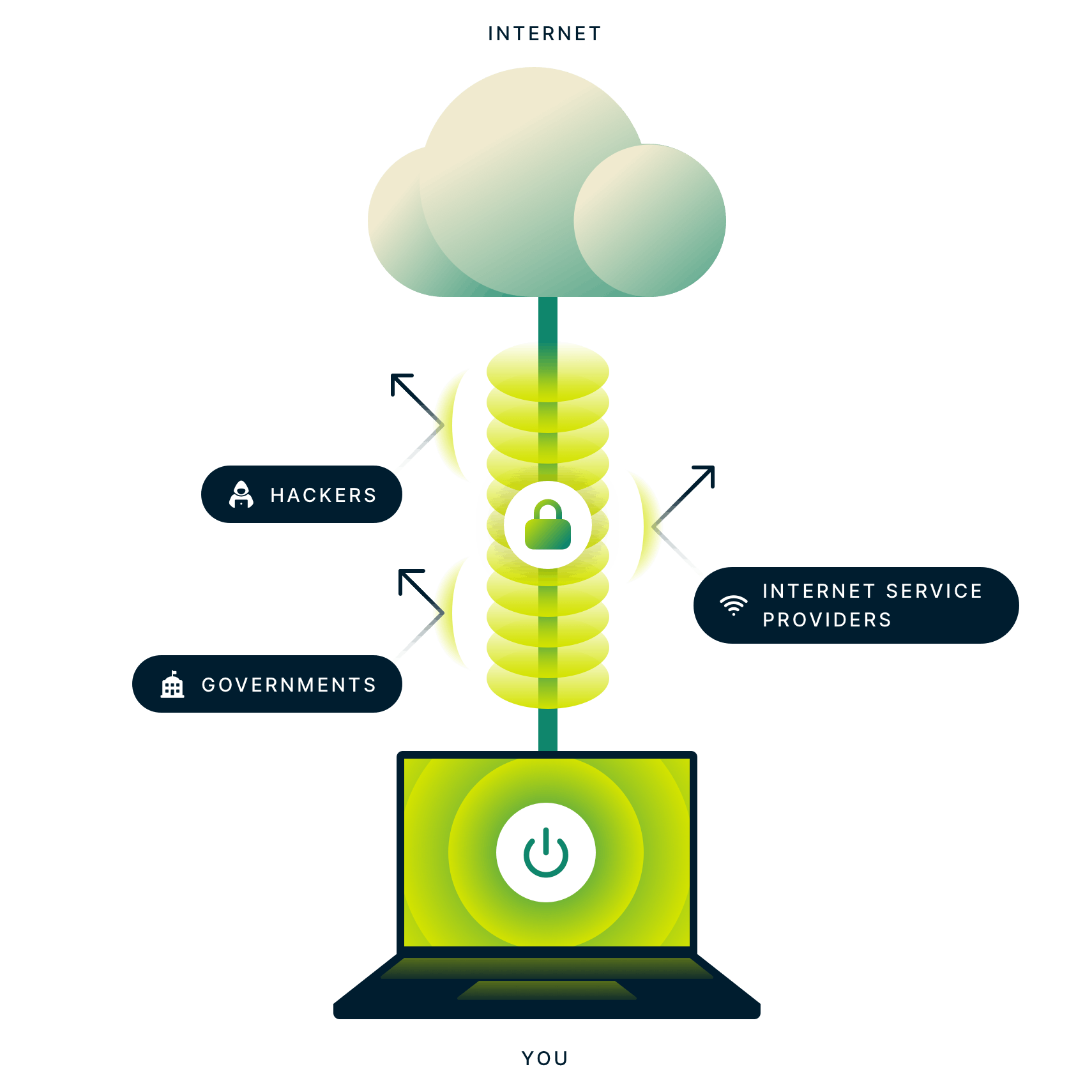
A VPN, or virtual private network, is a secure tunnel between your device and the internet. VPNs encrypt your connection data and mask your IP address to protect you from hackers, interference, and certain cyber attacks.
As you connect to a secure VPN server, your internet traffic goes through an encrypted tunnel that nobody can see into, and your request is forwarded to its end destination with the VPN server’s IP address.
30-day Money Back Guarantee for New Users
Why ExpressVPN?
-
![Servers in 105+ countries]()
Servers in 105+ countries
-
![Best-in-class encryption]()
Best-in-class encryption
-
![24-hour live chat support]()
24-hour live chat support
-
![TrustedServer technology]()
TrustedServer technology
-
![Lightning-fast speeds]()
Lightning-fast speeds
-
![Works on every platform]()
Works on every platform
-
![Use on up to 14* devices]()
Use on up to 14* devices
-
![No activity logs]()
No activity logs
-
![World’s #1 premium VPN]()
World’s #1 premium VPN








*See device details here



Save up to 50% with ExpressVPN for Teams
What people are saying about ExpressVPN
I have ExpressVPN on all my devices - phone, laptop, tablet, AppleTV, etc., and absolutely love it.


* A sample of reviews from our most satisfied customers
Got an account with @expressvpn yesterday. Great decision for traveling out of the country!
@D_Geiger

* A sample of reviews from our most satisfied customers
With its consistent performance and reliable security, ExpressVPN is the best VPN out there.

* We sometimes pay expert sites for customer referrals
The benefits and advantages of using a VPN

Mask your IP
Using a VPN changes your IP address, the unique number that identifies your device and location, to help protect you from malicious online activity. A VPN IP address makes it harder for malicious actors to target you or track your activity. With ExpressVPN, you can connect to servers in 105+ countries to keep your connection secure.
Protect your privacy
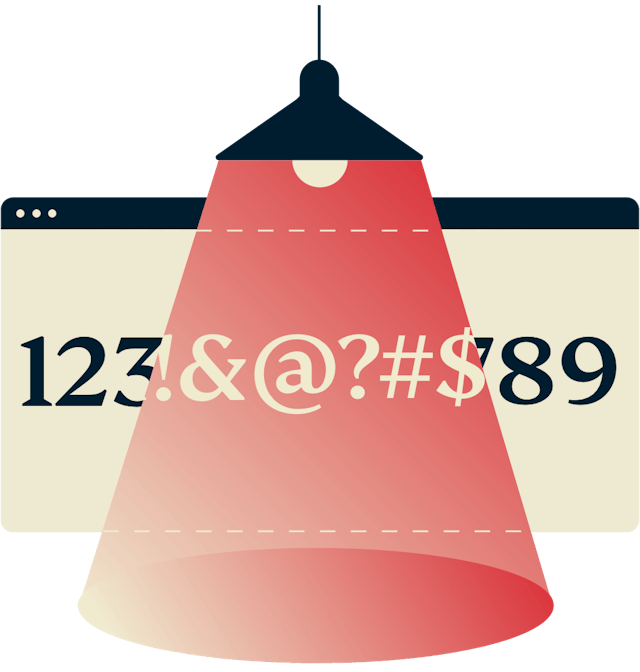
Changing your IP address with a VPN helps shield your identity from websites, apps, and services that want to track you. VPNs also prevent outsiders on the same public network as you from seeing your activity, thanks to a layer of strong encryption.
Increase your security
Using a VPN protects you from security breaches in many forms, including packet sniffing, rogue Wi-Fi networks, and man-in-the-middle attacks. Travelers, remote workers, and all kinds of on-the-go individuals use a VPN whenever they’re on an untrusted network like free public Wi-Fi.
When should I use a VPN?
If privacy is important to you, you should use a VPN every time you connect to the internet. A VPN app runs in the background of your device so it won’t get in the way while you use other apps and browse the internet. And you’ll have peace of mind knowing your privacy is always protected.
But here are some situations in which a VPN is especially useful:
-
![Airplane flying over the world.]()
While traveling
Exploring the world doesn’t mean you have to give up the online privacy and security you get at home. A VPN lets you use the internet safely across hotel rooms and airports, no matter how far you travel.
-
![Enjoy the content you want: streaming TV and music on a laptop.]()
While having fun
VPNs encrypt your data to protect you from cyber risks and help ensure stable, private connections to the sites and services you enjoy.
-
![Enjoy the content you want: streaming TV and music on a laptop.]()
While on public Wi-Fi
Connecting to public Wi-Fi hotspots like those in cafes, airports, and parks could leave your private information vulnerable. Using a VPN on your devices keeps you safe with strong encryption.
-
![Devices for gaming.]()
While gaming
Using a VPN while gaming online shields you from DDoS attacks. It can even help to reduce your ping and overall lag, depending on how your ISP routes your traffic to the game’s server.
-
![Download anonymously. Laptop with download icon.]()
While file-sharing
P2P file sharing usually means that strangers can see your IP address and possibly track your downloads. A VPN keeps your real IP address private, letting you download with increased privacy.*
-
![Shopping browser window.]()
While shopping
Some online stores may display varying prices. Using a VPN can help keep your connection private while browsing or shopping online.



How does a VPN work?
To understand how a VPN works, it helps to first understand how your internet connection works without one.
Without a VPN
When you access a website without a VPN, you are being connected to that site through your internet service provider, or ISP. The ISP assigns you a unique IP address that can be used to identify you to the website. Because your ISP is handling and directing all your traffic, it can see which websites you visit. And your activity can be linked to you by that unique IP address.
With a VPN
When you connect to the internet with a VPN, the VPN app on your device (also called a VPN client) establishes a secure connection with a VPN server. Your traffic still passes through your ISP, but it’s encrypted, and the VPN server is listed as its final destination. The websites you visit can no longer see your original IP address, only the IP address of the VPN server, which is shared by many other users and changes regularly.
-
Not Connected Connected
-
![What is a VPN? image.]()
![Laptop with an unsecured connection to the internet with an eye looking at traffic data between the laptop and the internet.]()

Proxying
The VPN server acts like a proxy, or stand-in, for your web activity: Instead of your real IP address and location, websites you visit will only see the IP address and location of the VPN server.
This enhances your online privacy by masking your IP address.
Authentication
Establishing a secure connection is a tricky problem solved by clever mathematics in a process called authentication.
Once authenticated, the VPN client and VPN server can be sure they are talking to each other and no one else. This process involves a unique set of keys shared only between the VPN server and client for that session, ensuring your connection is secure.
Tunneling
VPNs also protect the connection between client and server with tunneling and encryption.
Tunneling is a process by which each data packet is encapsulated inside another data packet. This makes it harder for third parties to read in transit.
Encryption
Data inside the tunnel is also encrypted in such a way that only the intended recipient can decrypt it. This keeps the encrypted contents of your internet traffic completely private from others.
30-day Money Back Guarantee for New Users
Types of VPN
-
![Laptop with a plant and drink.]()
Commercial VPN
A commercial VPN, also called a personal VPN or a consumer VPN, is a private service offered directly to individuals, usually for a fee.
ExpressVPN is such a VPN service because it directly caters to the privacy needs of its customers.
-
![Pie chart.]()
Corporate VPN
A corporate VPN, also called a business VPN, allows an organization’s remote employees to connect securely to the internet as if they were physically present in the office.
Unlike commercial VPNs, however, corporate VPNs are meant to protect the privacy of the company and not necessarily the individual.
-
![Spanner and wrench.]()
Self-setup VPN
Some tech experts and DIY hobbyists choose to set up their own VPN using their own equipment.
Self-setup VPNs, however, do not provide the protection of shared IP addresses, server locations in multiple countries, or many other features enjoyed by commercial VPN users.



FAQ
Why is ExpressVPN one of the best VPN providers?
ExpressVPN is consistently rated as one of the best VPN providers for its commitment to privacy, speed, and reliability. With a no-logs policy audited by independent firms, your online activities remain private - even from us. Our network of servers in more than 100 countries delivers fast, secure connections, whether you're streaming, gaming, or browsing. Advanced TrustedServer technology ensures data is never written to hard drives, further enhancing security.
How to choose a VPN provider?
Choosing a VPN provider depends on your needs. Prioritize privacy features like a no-logs policy, encryption, and a kill switch. Look for fast VPN servers with no bandwidth limits, and VPNs with a large number of server locations to ensure stable streaming, gaming, and browsing. Finally, ensure the VPN supports your devices and offers 24/7 customer support.
What are the most important things when it comes to VPN?
Strong security, fast speeds, widespread server locations, and reliable connections are among a VPN's most important features. Look for advanced encryption, a no-logs policy, and a kill switch for privacy. Choose a VPN with high-speed servers and global coverage to ensure smooth browsing and streaming.
Are VPNs legal?
Yes, VPNs are legal in most countries and are commonly used by individuals and businesses to protect their online privacy and secure their online activity. However, some countries with strict internet regulations may restrict or monitor VPN use. Always check local laws if you’re unsure. Keep in mind, using a VPN doesn’t make illegal online activities legal and copyright laws still apply.
Is ExpressVPN trustworthy?
Yes, ExpressVPN is highly trustworthy. Its strict no-logs policy, which regularly undergoes audits by third-party firms, ensures your online activity is never recorded. Advanced security features like AES-256 encryption and TrustedServer technology protect your data, while past legal cases have proven there’s no user data to share. These safeguards demonstrate ExpressVPN’s commitment to privacy and transparency.
Why choose ExpressVPN over a free VPN?
Free VPNs often come with risks like logging your data, injecting ads, or selling your browsing history. In contrast, ExpressVPN offers fast, reliable connections with no bandwidth caps, advanced encryption for privacy, global server coverage in 105+ countries, and 24/7 customer support. For security and performance, a premium VPN is the safer choice.
Which devices does ExpressVPN support?
ExpressVPN supports Windows, Mac, iOS, Android, Linux, Apple TV, Android TV, Fire TV Stick, and more. You can also install it on compatible routers or use the Aircove router with built-in ExpressVPN functionality to protect all Wi-Fi devices, including game consoles, smart doorbells, and voice assistants. Note that a separate ExpressVPN subscription is necessary for Aircove.
Can I use ExpressVPN while traveling or on vacation?
Yes, ExpressVPN is ideal for traveling. It secures your internet connection on public Wi-Fi, protecting your data with advanced encryption. You can access sensitive online services, such as your banking apps, safely while on the go.
-
![24-hour support speech bubbles.]()
Live, 24-hour customer support
Real support from real people. We’re available through instant live chat and email to help you set up and troubleshoot.
Contact Support
-
![30 days money back guarantee.]()
30-day money-back guarantee
Our VPN is easy to use. So is our guarantee for new users. If you’re not satisfied, just ask Support for a full refund. No hassle, no risk.