
Advanced Protection: The Privacy Trio That Filters Out the Junk
ExpressVPN blocks intrusive ads, trackers, and malicious sites for safe and smooth browsing
30-DAY MONEY-BACK GUARANTEE
*for first-time users

Total Protection in 3 Steps—Fast, Easy, Secure
No complicated setups, no extra downloads, no special skills
-
![Open ExpressVPN]()
Open ExpressVPN
Launch the app on your device
-
![Go to Settings]()
Go to Settings
Navigate to Advanced Protection in the app
-
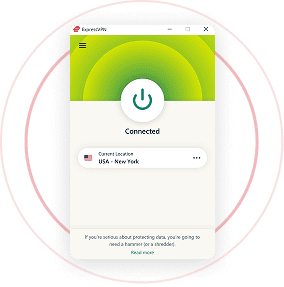
![Turn Protection On]()
Turn Protection On
Toggle the features you want

24/7 customer support via live chat & email

The Hidden Threats You Can’t See
Every time you browse without protection, you allow others to profit from your activities
-
Websites, apps, and even your ISP collect and sell your private data
-
Ads slow you down and track your behavior, even when you don’t click
-
One tap on a malicious link can lead to a site with phishing scam and malware
Real Privacy Is More Than Encryption
Don’t settle for less when ExpressVPN has the complete package
-
Threat Manager
Blocks apps and websites from secretly sharing your information with third parties
-

Ad Blocker
Wipes out intrusive display ads, speeds up your browsing, and keeps distractions off your screen
-

Parental Controls
Filters out explicit and unwanted content so you have better control over what your family sees


Advanced Protection: Your Silent Guardian 24/7
It’s always working, even when you’re not thinking about it
No need for extra apps or add-ons—Threat Manager, Ad Blocker, and Parental Controls are built directly into the ExpressVPN app
Turn on Advanced Protection once, and it works in the background—no monitoring needed
Get premium privacy features at no extra cost. No upsells, no hidden fees—just comprehensive protection
No slowdowns, no extra strain on your device. Just seamless, high-speed browsing with fewer distractions
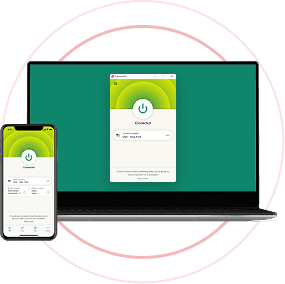
Activate Advanced Protection on iOS, Android, Mac, Windows, Linux, and even Aircove, ExpressVPN’s Wi-Fi router
ExpressVPN continuously updates its protection lists, blocking new threats before they can reach you
Trusted by Users Who Take Privacy Seriously
See why privacy conscious users & industry experts trust ExpressVPN to block ads, trackers, an online threats
I have ExpressVPN on all my devices - phone, laptop, tablet, AppleTV, etc., and absolutely love it.


* A sample of reviews from our most satisfied customers
Got an account with @expressvpn yesterday. Great decision for traveling out of the country!
@D_Geiger

* A sample of reviews from our most satisfied customers
With its consistent performance and reliable security, ExpressVPN is the best VPN out there.

* We sometimes pay expert sites for customer referrals
All Your Questions Answered
Is ExpressVPN Advanced Protection free?
Yes, ExpressVPN's Advanced Protection features are included with every subscription. This suite comprises Threat Manager (tracker and malware blocker), an ad blocker, and parental controls. You can enable these features directly within the ExpressVPN app on supported devices like iOS, Android, Windows, Mac, Linux, and Aircove routers.
Note that they function only when the VPN is active and using the Lightway protocol, except on Aircove routers, where they can operate independently.
How do I activate ExpressVPN Advanced Protection?
The full suite of advanced protection features is currently available on Aircove and the ExpressVPN apps for iOS, Android, Mac, Windows, and Linux.
Threat Manager (tracker blocking only) and ad blocking are available on the ExpressVPN app for Apple TV.
On iOS or Android, tap Upgrades > Advanced Protection
On Mac, click on the Menu icon > Preferences... > Advanced Protection
On Windows, click on the Menu icon > Options > Advanced Protection
On Aircove, go to a device group and select the gear icon > Advanced Protection
On Linux, open Terminal and enter the following command: expressvpn preferences set block_all true
On Apple TV, go to Options > Advanced Protection
Does Advanced Protection work even when the VPN is turned off?
No, the advanced protection features only work when the VPN is turned on, and when the Lightway protocol is in use.
If you wish to use these features without turning the VPN on, you can do so via Aircove, our unique router product.
What devices are supported by ExpressVPN Advanced Protection?
Threat Manager, the ad blocker, and parental controls are available on the ExpressVPN apps for iOS, Android, Mac, Windows, and Linux.
Threat Manager (tracker blocker only) and the ad blocker are available for Apple TV.
If you have Aircove, our VPN router, all of these advanced protection features are available by default. They can be applied to any device connected to Aircove, even smart TVs or smart home appliances.
Complete Privacy and Control—Start Today
-
 Discount of up to 73%
 -
 2 Years + 4 Months
 -
 FREE eSIM + up to 5 days unlimited data
 -
 30-day money back guarantee for first time users
