Dedicated IP for
Teams
Get a fixed IP address for simpler, more secure network management
- Control network access by allowlisting your static IPs
- Secure remote and hybrid teams behind fixed entry points
- Detect threats faster when traffic runs through fixed IPs
30-DAY MONEY BACK GUARANTEE FOR NEW USERS
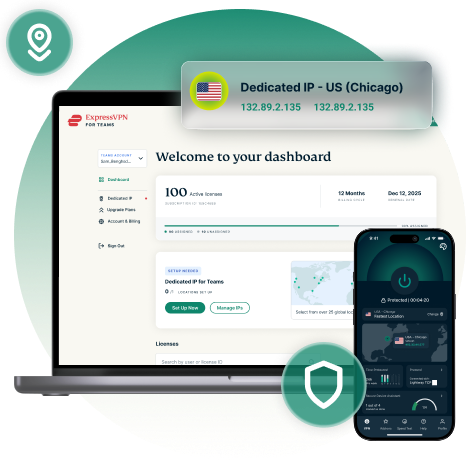
How businesses can benefit from Dedicated IP for Teams
Even more privacy and security. No added complexity.
-

Allowlist easily
A dedicated IP lets admins whitelist a single address, giving you more granular control over network access, across both team members and work environments.
-

Secure remote teams
One IP address means gateways, internal apps, and servers recognize your people the same way every time — whether they’re in the office or on the road.
-

Improve network access
Consistent IPs are less likely to trigger CAPTCHAs, repeated login checks, and other security flags, helping minimize network friction for end users.
-

Spot unusual activity
A single, dedicated IP address helps safeguard your organization’s systems and data by making it easier to inspect and flag unusual network activity.
-

Integrate with any system
Dedicated IP for Teams is a plug-and-play network solution that’s configured to work with your existing infrastructure. Set-up is fast and won’t require a system overhaul.
-

Protection that’s yours
Dedicated IP for Teams complements our core VPN security and privacy, delivering the same protection through a single IP that's not shared or part of a public pool.
Choose from 20+ countries for your fixed IP address
Get a fixed IP in one or more of the following locations:
Australia · Belgium · Canada · Denmark · France · Germany · India · Ireland · Italy · Japan · Mexico · Netherlands · Poland · Singapore · South Korea · Spain · Sweden · Switzerland · United Kingdom · United States
Need IPs in more than one region? Set up a dedicated IP for each country
your team operates from. Up to 10 dedicated IPs supported per account.
-

Germany
-

switzerland
-

Austria
-

South Africa
-

Australia
-

Japan
-

Indonesia
-

Thailand
-

US
-

Philippines
-

India
-

Canada
Device and platform compatibility
Dedicated IP for Teams is built to work across every platform and device type you and your team use.

Supported platforms and devices
Once your dedicated IP is set up, it works inside the ExpressVPN apps your team already uses — available for Windows, Mac, Android, iOS, and Linux.
To connect to your assigned IP, users select the WireGuard protocol or Automatic option in the app. Everything else works just like connecting to any other server location: one tap for a consistent, encrypted connection every time.
How to get Dedicated IP for Teams
Provisioning couldn’t be easier—get connected in minutes.
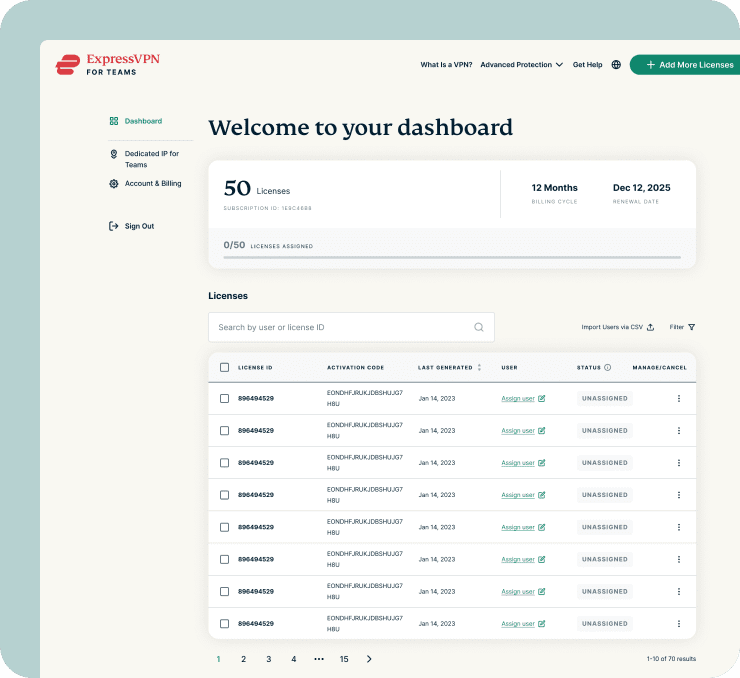
-
Get ExpressVPN for Teams
Dedicated IP for Teams is available on 1- year and 2-year ExpressVPN for Teams plans.
-
Add a Dedicated IP
When checking out, select the option of a fixed IP location and add it to your solution.
-
Set up and connect
Check your inbox for instructions on getting started with ExpressVPN for Teams, including a step-by-step guide to setting up your locations.
What experts say about us
I can whitelist my IP for my company’s secure servers, meaning I don't have to keep re-authenticating every time I login.

-
#1 Best VPN 2026
ExpressVPN is a juggernaut and an industry standard-bearer, especially in privacy and transparency.

-
Editor’s Choice Award 2026
ExpressVPN’s expansive network and dedication to staying on the forefront of encryption tech earn it an award.

-
#1 Best VPN for Beginners 2026
When it comes to set-and-forget services, ExpressVPN has long held the top position as the best VPN service.

*ExpressVPN helps support expert review sites through an affiliate program that compensates them for referrals. Reviews include ExpressVPN’s flagship product, as deployed to endusers through ExpressVPN for Teams program.
FAQ: Dedicated IP for Teams
What is Dedicated IP for Teams?
A fixed IP address assigned exclusively to your organization within a shared VPN server environment. It doesn't change, and it isn't shared with the general pool of VPN users — making whitelisting and access management far simpler.
How is Dedicated IP for Teams different to a normal VPN IP address?
A shared IP rotates and is used by many people at once. A dedicated team IP stays constant and belongs to your organization alone, giving you a consistent, recognizable point of presence to build access rules around.
How is Dedicated IP for Teams different to ExpressVPN’s regular Dedicated IP product?
ExpressVPN's consumer Dedicated IP uses secure enclave technology at the point of assignment, so no one — not even us — can see the fixed IP you're given. Dedicated IP for Teams works differently by design: the IP is visible and meant to be shared across users on your account. That visibility is what lets us manage the IP, support your team, and give admins control — and it's standard for any business fixed-IP solution.
Is my team's activity still private using Dedicated IP for Teams?
Yes. TrustedServer wipes all session data, and connections use AES-256 encryption with quantum-safe WireGuard, so your activity stays private and secure. To provision and manage your fixed IP, we do assign and know which IP belongs to your organization — standard practice for fixed-IP business solutions.
Where can my team’s IPs be located?
In any of 20 countries, subject to availability: Australia, Belgium, Canada, Denmark, France, Germany, India, Ireland, Italy, Japan, Mexico, Netherlands, Poland, Singapore, South Korea, Spain, Sweden, Switzerland, the United Kingdom, and the United States. You can also have IPs in multiple countries (up to 10 at once).
Why isn't my preferred Dedicated IP for Teams location available?
The locations offered during account set up are dynamically generated and reflect current availability. In some cases, certain Dedicated IP locations may be temporarily unavailable. If you don’t see the location you want, please contact the ExpressVPN Support Team, who may be able to provide additional locations or advise on upcoming availability. We will always endeavor to provision you with the location you want.
Which features can my team use with a Dedicated IP?
Nearly all of the core ExpressVPN features are available. The only requirement is disabling Advanced Protection, as it is not compatible with a single IP environment.
Which VPN protocols are supported with Dedicated IP for Teams?
Dedicated IP for Teams requires the WireGuard protocol. Users should select WireGuard or the Automatic option in the ExpressVPN app to connect via their assigned Dedicated IP.
Does Dedicated IP for Teams offer a money-back guarantee?
Yes. Dedicated IP for Teams is now out of beta and we are pleased to extend ExpressVPN’s flagship money-back guarantee to it.
Ready to upgrade your team’s IP?
- Simplify network access controls
- Secure remote and hybrid teams
- Minimize end user friction